
Article 2 of 15
Plans, billing terms and the first-month offer
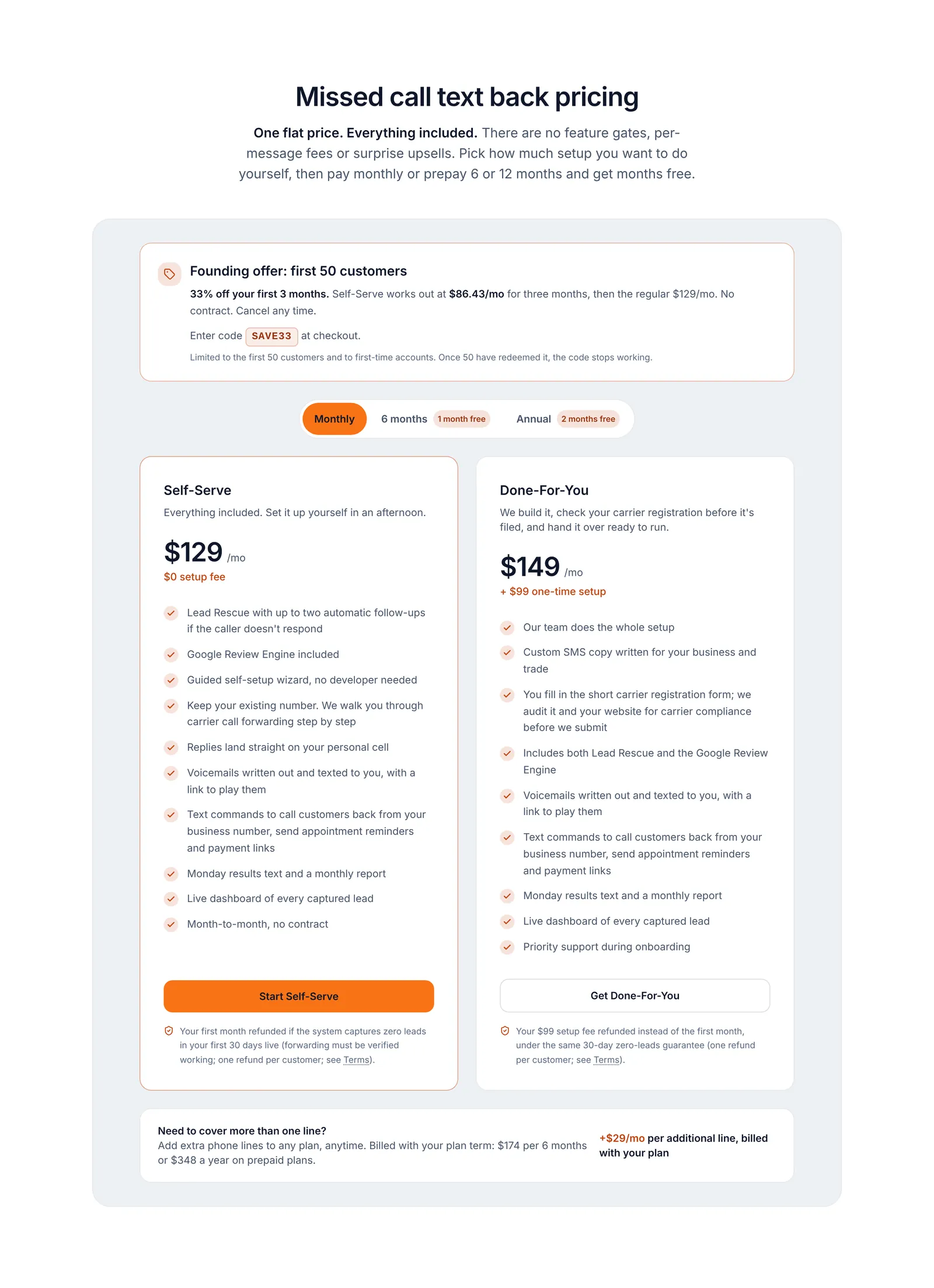
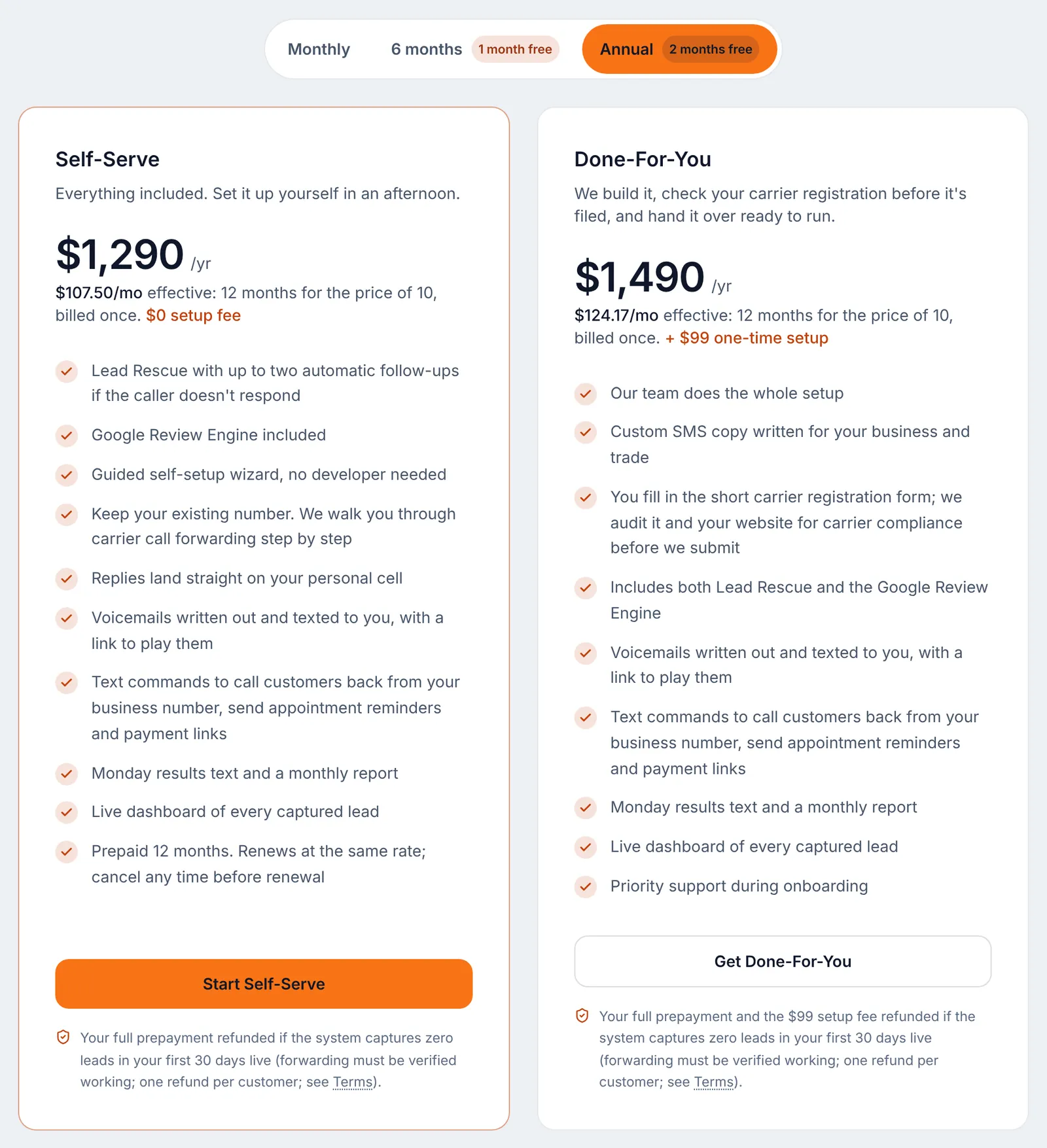
There are two plans. Both include every feature; the only difference is who does the setup.
| Self-Serve | Done-For-You | |
|---|---|---|
| Monthly | $129/mo | $149/mo |
| Setup fee | $0 | $99, one time, on your first invoice |
| 6 months (1 month free) | $645 every 6 months ($107.50/mo) | $745 every 6 months ($124.17/mo), plus the $99 setup |
| Annual (2 months free) | $1,290 a year ($107.50/mo) | $1,490 a year ($124.17/mo), plus the $99 setup |
| Who sets it up | You, with the step-by-step signup and carrier registration forms | CallCovered: your number, forwarding and messages set up with you. You fill in the short carrier registration form, and we check it and your website before we submit |
Both plans include:
- The missed-call text-back from your business number, in under 5 seconds.
- Lead Rescue: up to two follow-up texts to a missed caller who never writes back.
- The Google Review Engine.
- Voicemail to text.
- The text commands: CALL, REMIND, PAY, REVIEW, PAUSE, AWAY and more.
- The Monday summary and the monthly report.
- Your dashboard.
Extra phone lines cost $29/mo each on either plan, billed with your plan term. See "Opt-outs, extra lines, the guarantee and cancelling".
Billing terms. Monthly has no contract. A 6-month or annual term is billed once at the start, renews at the same rate, and you can cancel any time before the renewal date. On Done-For-You the $99 setup fee goes on the same first invoice whichever term you pick.
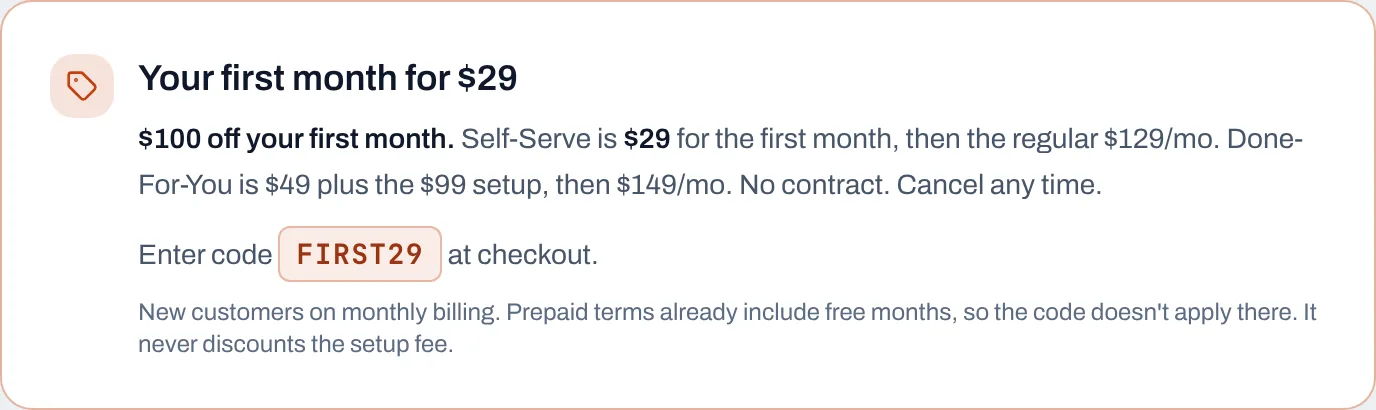
First-month offer. Enter code FIRST29 on the checkout page for $100 off your first month. On Self-Serve your first month is $29, then the regular $129/mo. On Done-For-You it is $49 plus the $99 setup, then $149/mo. The rules:
- New customers only.
- Monthly billing only. The promo code box does not show on 6-month or annual checkout, because those terms already include free months.
- It never discounts the $99 Done-For-You setup fee.
- The old
SAVE33code has ended and no longer works.
Still stuck? Talk to a person.
Call or text the support line, or send an email.