
Article 8 of 13
Text commands: CALL, REMIND, PAY and REVIEW
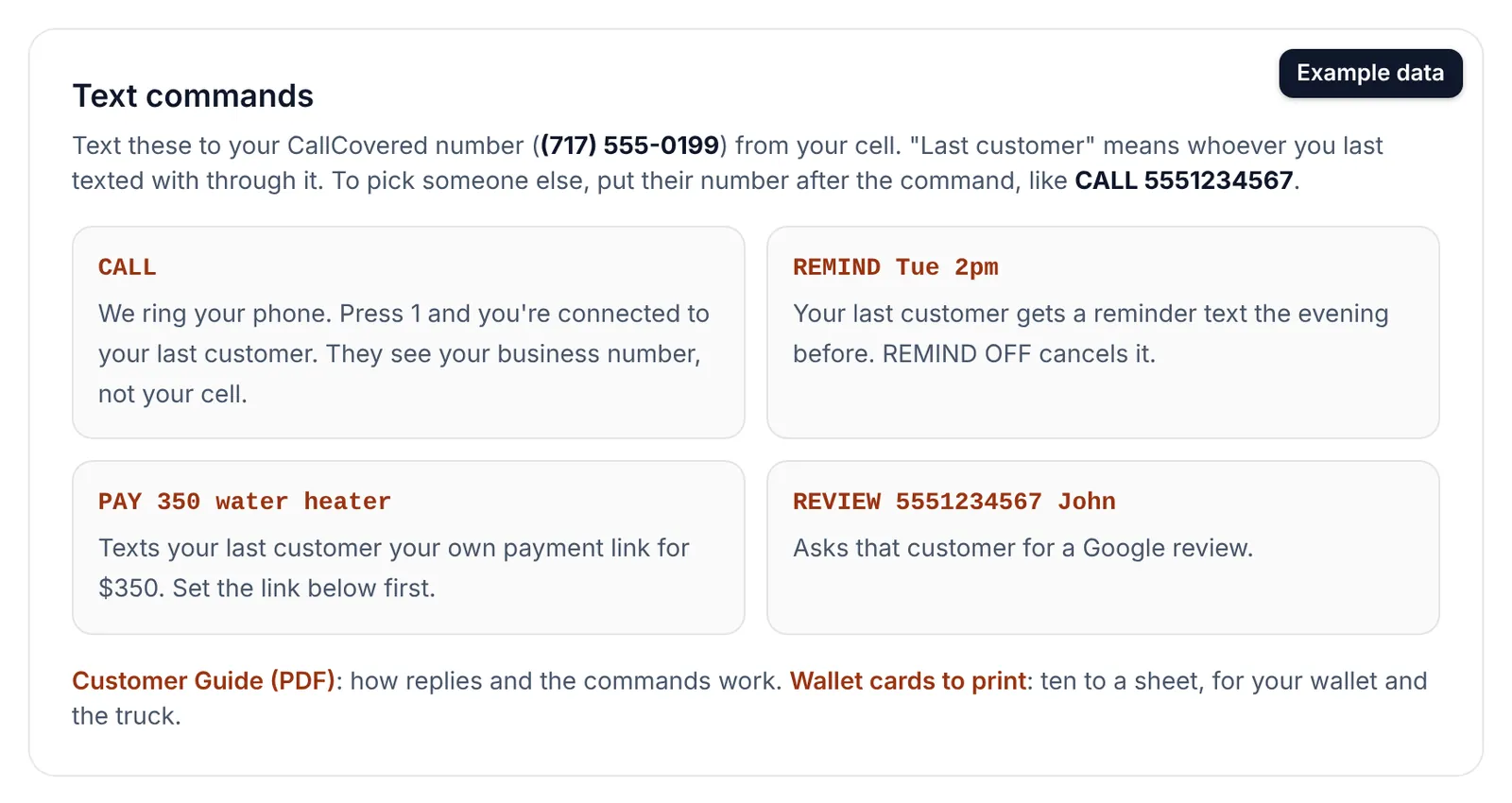
You text these four words from your cell to your CallCovered number to call a customer back, send a reminder, send your payment link, or ask for a Google review.
They only work from the cell on your account. CALL, REMIND and PAY on their own act on your last customer: whoever you last texted with through CallCovered. For someone else, put their number right after the word. REVIEW always needs the number.
| You text | What happens |
|---|---|
CALL | Your phone rings. Answer and press 1 to connect to your last customer. They see your business number. |
CALL 7175550199 | Same, to that number. |
REMIND Tue 2pm | Your last customer gets one reminder text before the visit. |
REMIND 7175550199 9/30 2:30pm | Same, for that number. |
REMIND OFF | Cancels the pending reminder for your last customer. |
PAY 350 | Texts your last customer your payment link for $350. |
PAY 350 water heater flush | Same, with a note on what it's for. |
PAY 7175550199 350 | Same, to that number. |
REVIEW 7175550199 Jim | Asks that customer for a Google review. The first name is optional. R 7175550199 also works. |
Numbers can be typed any common way: 7175550199, 717-555-0199 or (717) 555-0199.
Anything that isn't exactly a command goes to your customer as a normal text. "Call me when you're home" is relayed, not dialed. If a command can't go through, we text you why and your customer gets nothing. Fix it and send it again.
CALL
- Text
CALL(orCALLand a number). - We text you back and your phone rings:
CallCovered: calling you now. Answer and press 1 to connect to (717) 555-0199. They'll see your business number.
- Answer and press 1. If you don't answer or don't press 1, nothing is dialed.
CALL works while carrier registration is still pending. The limit is 20 calls an hour.
REMIND
Put the day and time after the word. These all work: REMIND Tue 2pm, REMIND 9/30 2:30pm, REMIND tomorrow 10am, REMIND today 4pm, REMIND Oct 2 9am.
- A time without am or pm is read as a working-day time: 7 to 11 is morning, 12 to 6 is afternoon. Our reply shows the time we used, so check it.
- They get one text: the evening before if there's time, otherwise that morning, or two hours before.
- We text you back when it will go out.
- A new REMIND for the same customer replaces the old one.
REMIND OFFcancels it.- Reminders can be set up to 120 days out. A time that is too soon gets a note telling you to text them directly.
What the customer gets:
Reminder from Mike's Plumbing: you're on our schedule for Tue, Sep 29 at 2:00 PM. Reply here if anything changes. Reply STOP to opt out.
PAY
First paste the payment link you already use into Settings on your dashboard: Square, Stripe, PayPal.me, Venmo, Cash App or your invoicing tool. The money goes straight to you; CallCovered never touches it.
- Use the full link starting with https://. Shortened links are refused because carriers block them.
- PayPal.me, Venmo and Cash App links open with the amount filled in. For other links our reply tells you the customer will type the amount themselves.
- Amounts from $1 to $100,000. A dollar sign and cents are fine:
PAY $350.50.
You text PAY 350 water heater flush and the customer gets:
Mike's Plumbing: your total is $350.00 for water heater flush. You can pay here: https://square.link/u/mikes-plumbing
Questions? Just reply to this text. Reply STOP to opt out.
REVIEW
Text REVIEW, their number and first name: REVIEW 7175550199 Jim. See "Google reviews" for what the customer gets.
When "nothing was sent"
| Our reply says | What to do |
|---|---|
| They opted out of texts | Call them instead. |
| Add your payment link first | Paste it into Settings on your dashboard, then send PAY again. |
| Texting turns on when your carrier registration clears | PAY and REMIND wait until you are live. Use CALL meanwhile. |
| No customer on file yet | Put their number after the command. |
| Didn't understand, or add a time | Fix the day and time and send REMIND again. |
| That's your own number | Use the customer's number. |
Your dashboard has a Text commands card with your business number on it, a link to the Customer Guide (PDF) and wallet cards to print, ten to a sheet.
Still stuck? Talk to a person.
Call or text the support line, or send an email.