
Article 10 of 13
Your dashboard
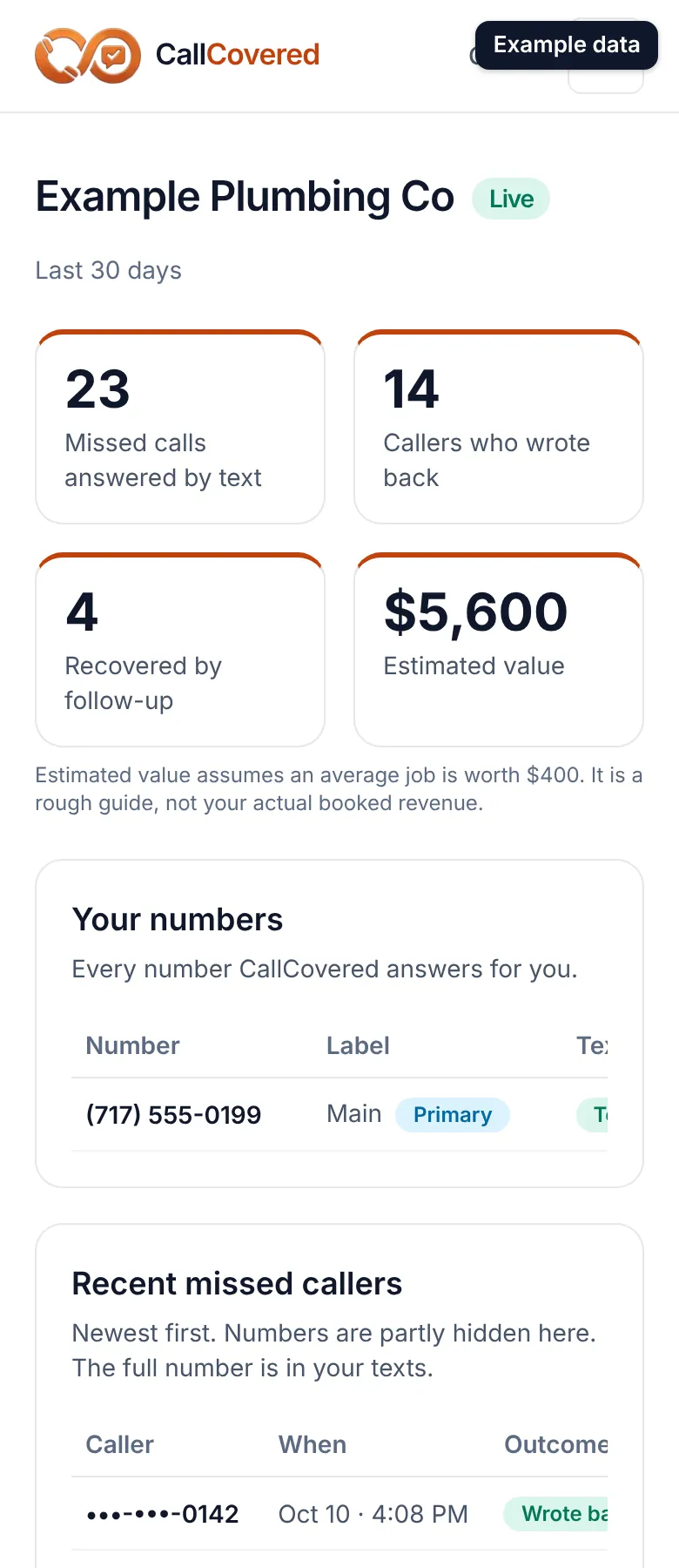
Your dashboard is a private web page that shows your missed calls, who wrote back, your voicemails, your settings and your business number tools. The link is in your "You're live" email. There is no password: the link is the key, so don't share it. Open it on your phone and add it to your home screen.
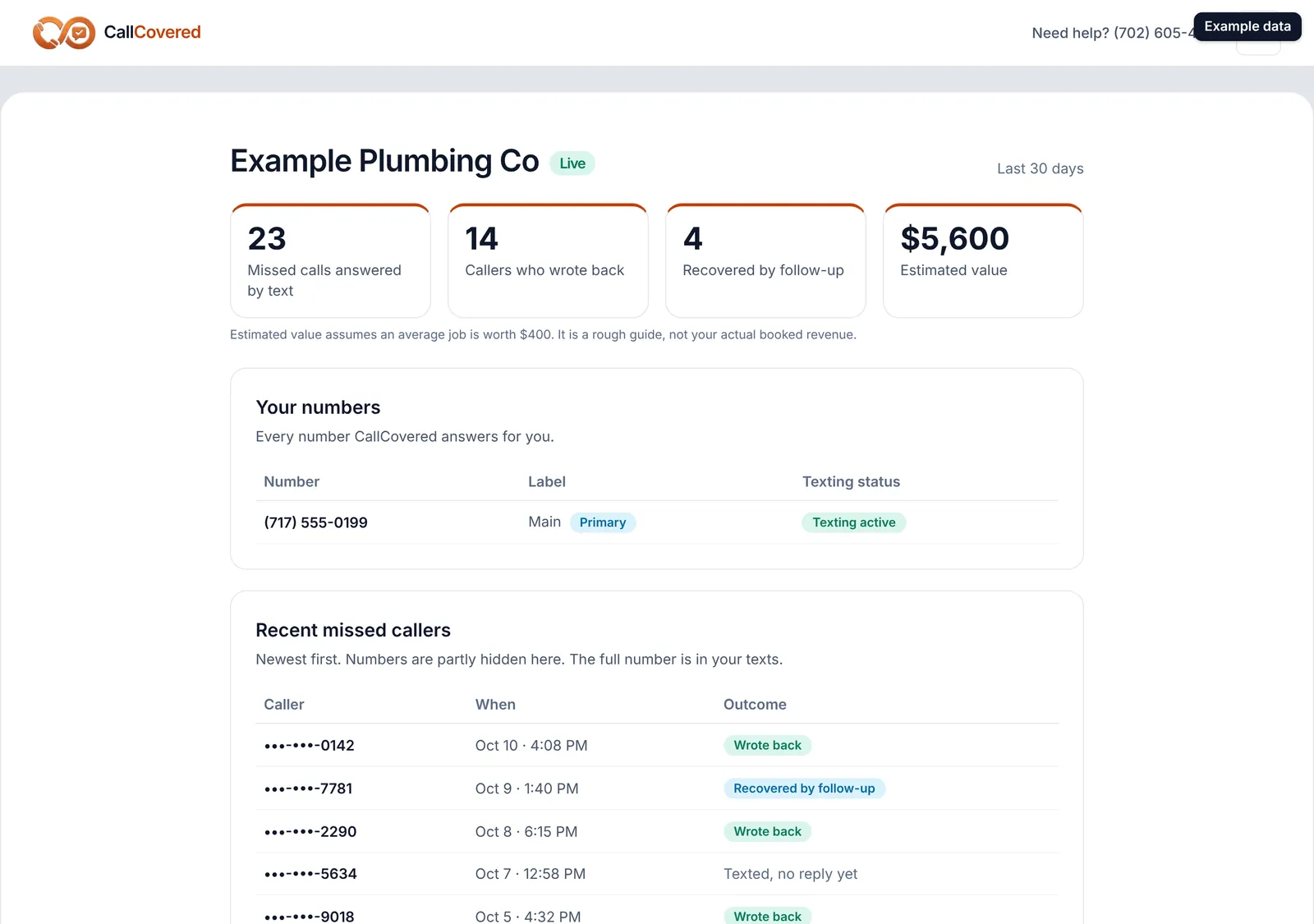
Top of the page. Your business name with a Live or Setting up badge, and four numbers for the last 30 days:
- Missed calls answered by text
- Callers who wrote back
- Recovered by follow-up
- Estimated value
Estimated value is callers who wrote back times your average job value. It is a rough guide, not booked revenue. Until you set your own average job value in Settings, it uses $300 and says so.
While you're setting up. A note at the top says where carrier registration stands. If we still need your business details, it has a Complete carrier registration button.
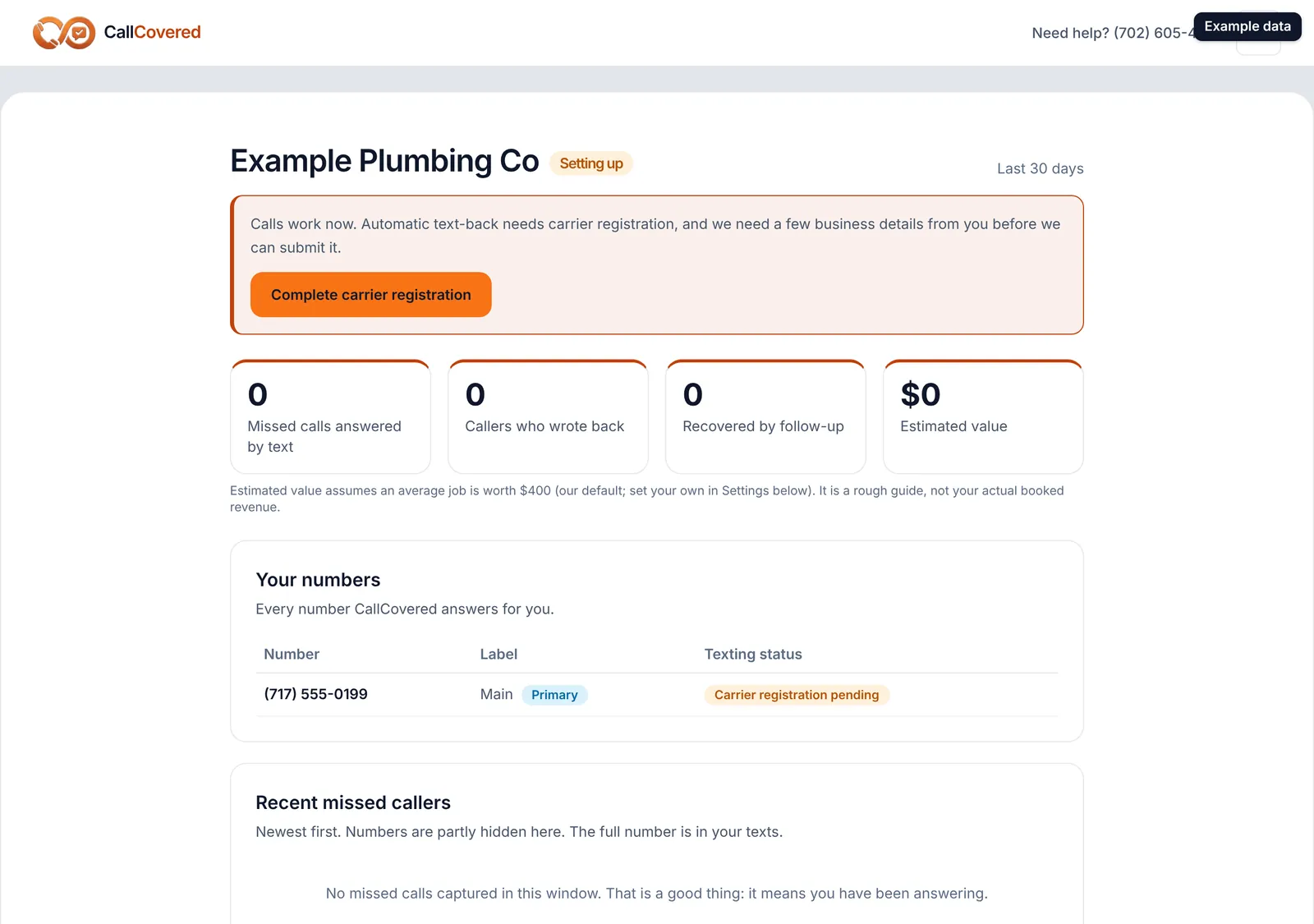
Your numbers. Every number CallCovered answers for you, its label (Main, or the label of an extra line) and its texting status: Texting active, Carrier registration pending, or Registration issue: we're on it.
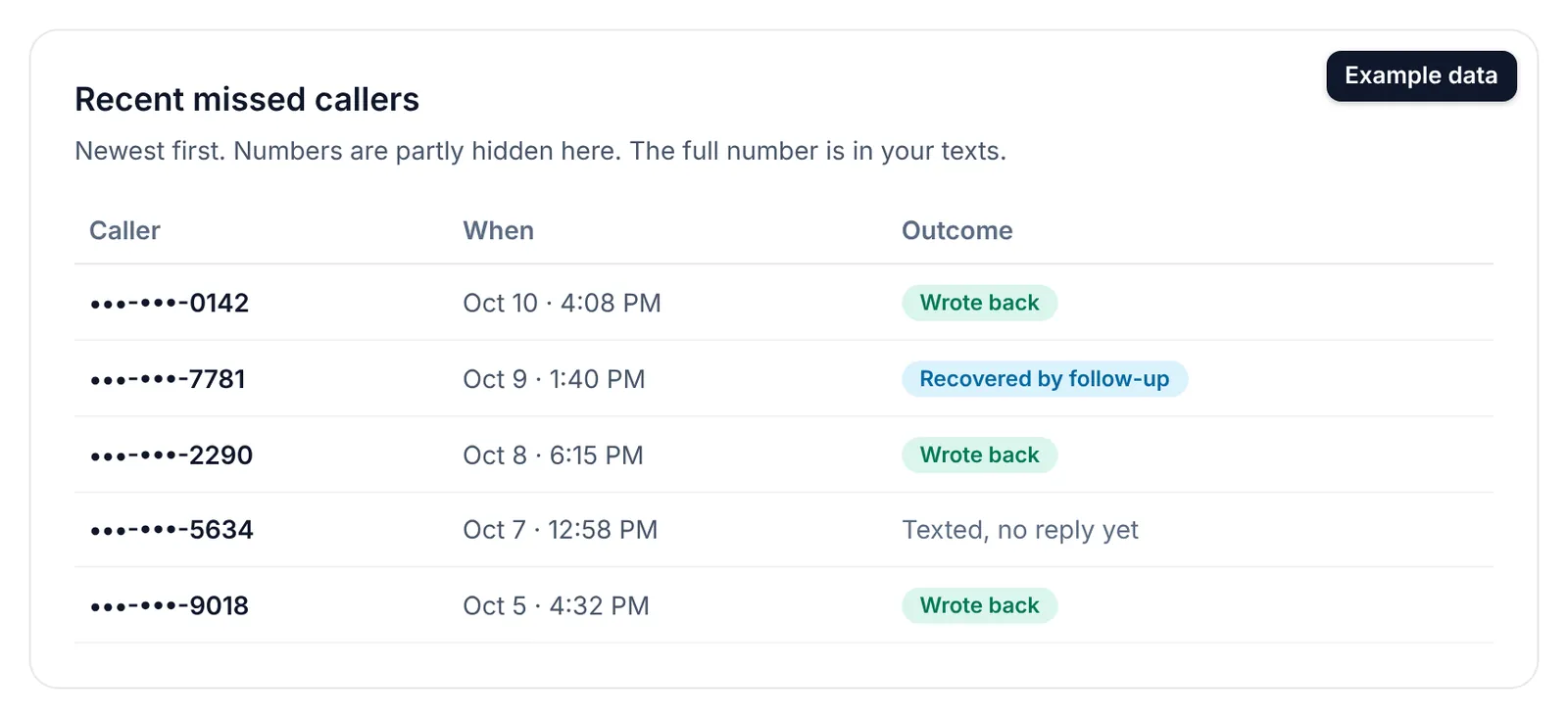
Recent missed callers. Newest first, with when they called and the outcome: Wrote back, Recovered by follow-up, or Texted, no reply yet. Numbers are partly hidden here; the full number is in your texts.
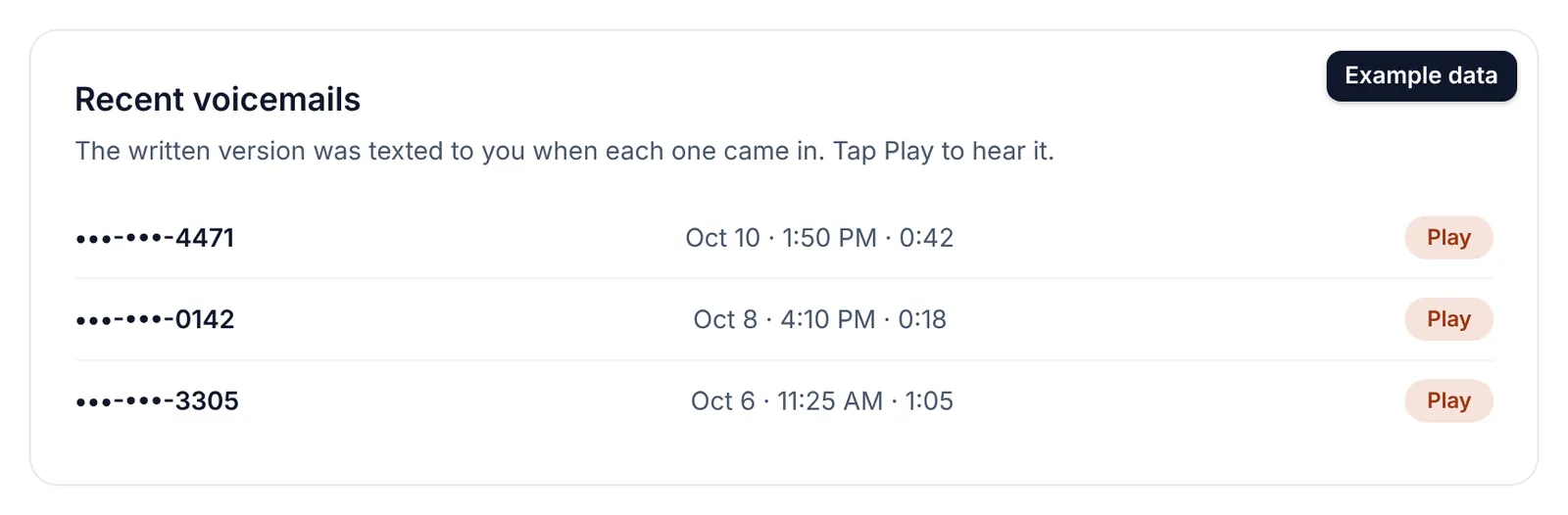
Recent voicemails. Each voicemail from the last 30 days with the caller, time, length and a Play button. The written-out version was already texted to you.
Text commands. The CALL, REMIND, PAY and REVIEW cheat sheet with your business number on it. See "Text commands: CALL, REMIND, PAY and REVIEW".
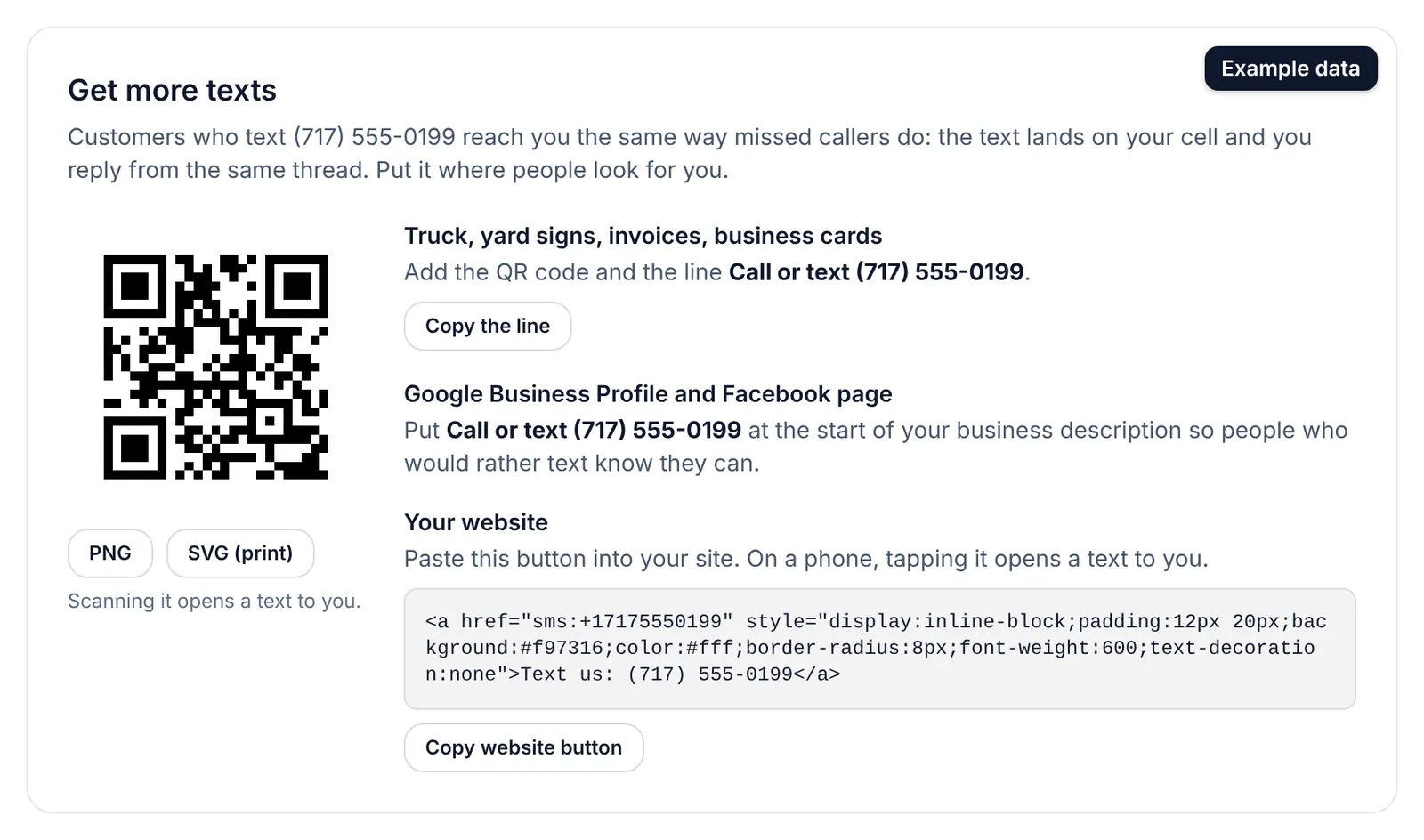
Get more texts. Tools to get customers texting your business number:
- A QR code that opens a text to your number. Download it as PNG, or as SVG for print so it stays sharp at any size. Put it on the truck, yard signs, invoices and business cards.
- The line "Call or text" plus your number, with a Copy the line button. Put it at the start of your Google Business Profile and Facebook descriptions.
- A Copy website button snippet. Paste it into your website; tapping it on a phone opens a text to you.
Texts that come in this way land on your cell like any other.
Refer a contractor. Your referral link and your free-month count. See "Opt-outs, extra lines, the guarantee and cancelling".
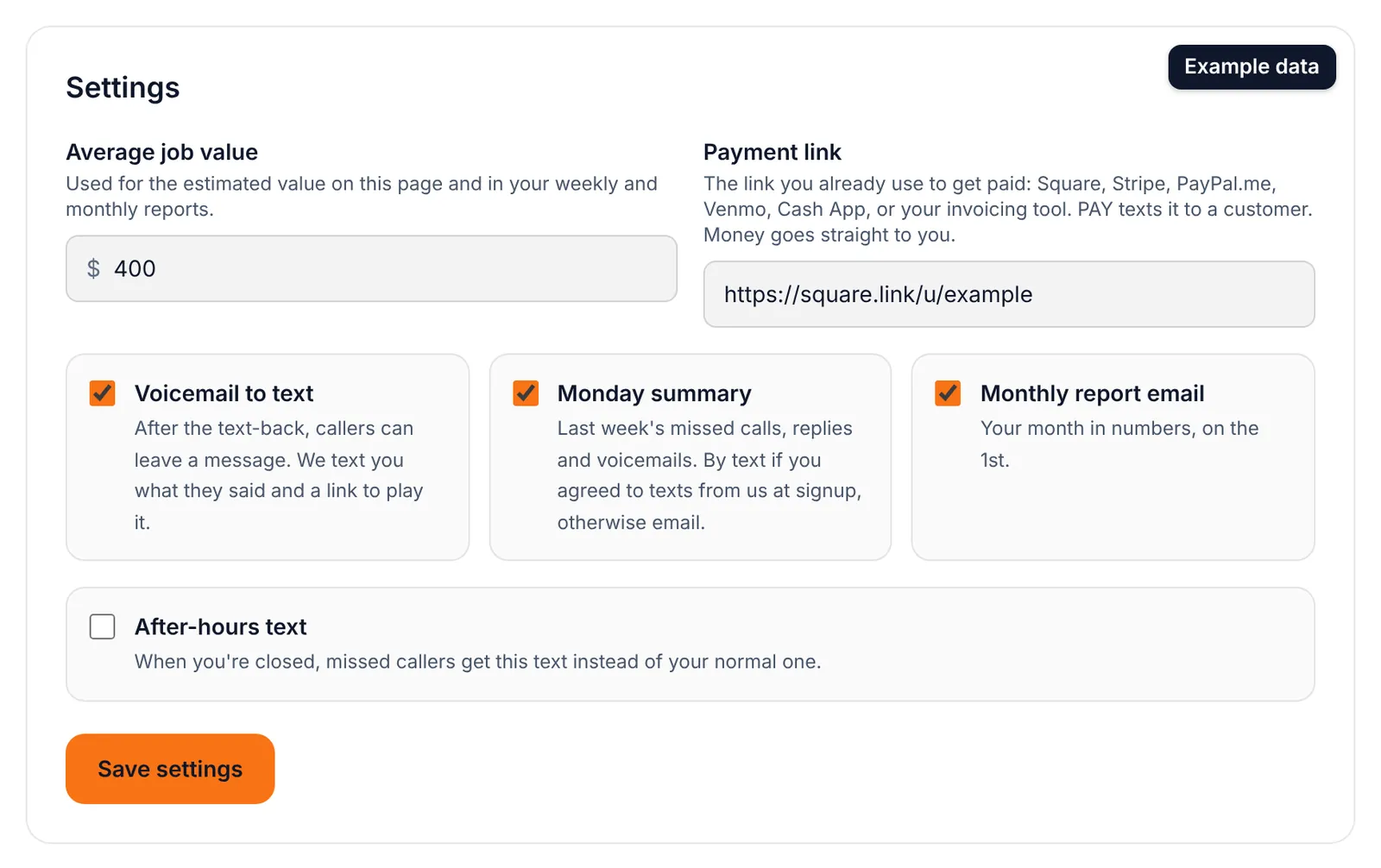
Settings. Change any of these and tap Save settings:
| Setting | What it does |
|---|---|
| Average job value | Used for the estimated value on the dashboard and in your weekly and monthly reports. |
| Payment link | What PAY texts to a customer. |
| Voicemail to text | On or off. Off means callers aren't offered a voicemail. |
| Monday summary | On or off. |
| After-hours message | On or off, the closed-shop text, your closed hours, whether weekends count, and your time zone. |
| Monthly report email | On or off. |
Your text-back wording, routing, cell number and billing are not on the dashboard. Call or email us to change them.
Still stuck? Talk to a person.
Call or text the support line, or send an email.