
Article 8 of 15
What missed callers hear: your greeting
After the text-back goes out, the caller hears a short greeting before the call ends or the voicemail beep. It is yours to set, on your dashboard under What missed callers hear.
Computer voice (the default). A natural-sounding voice reads your opening line, then the closing sentence. With no changes it says:
Thanks for calling Mike's Plumbing. Sorry we missed your call. We just sent you a text, so you can reply there any time. Or leave a short message after the tone, and we'll pass it right along.
- Your opening line. Change the first part to your own words, up to 160 characters. Write
{business}where your business name goes. Leave the box empty to use the default. - Voice. Pick Woman or Man.
- The closing sentence is added for you, so it is always right: it mentions the text only when one went out, and the beep only when voicemail to text is on.
- The box under it shows exactly what callers will hear. Tap Save greeting.
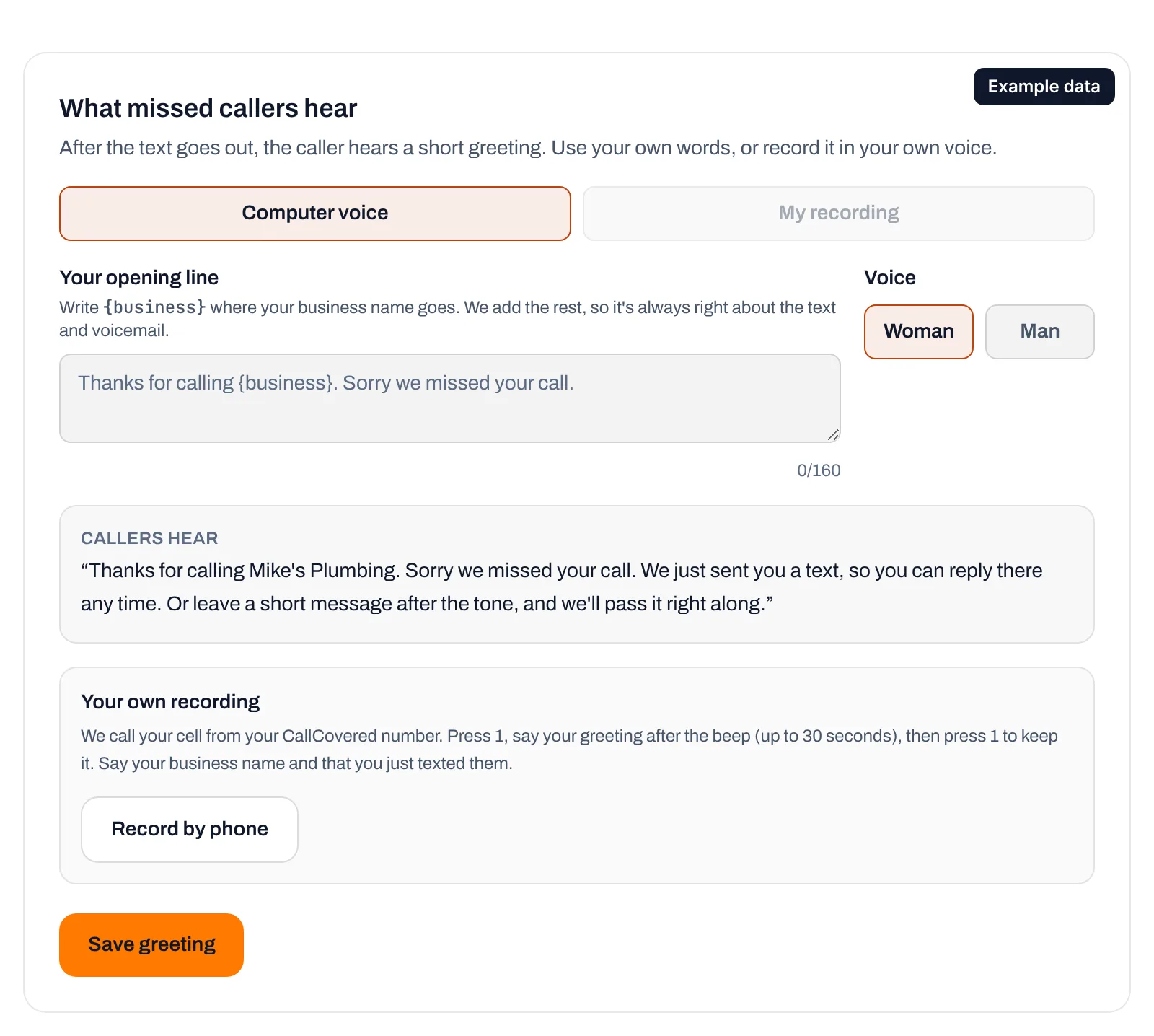
Your own recording. Callers hear you instead of the computer voice.
- Tap Record by phone. We call your cell from your CallCovered number.
- Press 1, then say your greeting after the beep. Keep it short (30 seconds at most) and press # when you're done. Say your business name and that you just texted them, like: "Thanks for calling Mike's Plumbing. Sorry I missed you. I just sent you a text, so reply there and I'll get right back to you."
- We play it back. Press 1 to keep it, or 2 to record it again.
It plays from your next missed call, and shows on the dashboard with a play button. If voicemail to text is on, a short "You can leave a message after the tone" follows your recording.
- Switch between them with Computer voice and My recording, then Save greeting. Switching back keeps your recording for later.
- Record again any time; the new one replaces the old.
- Delete recording removes it and goes back to the computer voice.
- While text-back is paused, or for a caller who texted STOP, no text goes out, so those callers hear the computer voice saying to leave a message or call back later. Your recording mentions the text, so it isn't played then.
Still stuck? Talk to a person.
Call or text the support line, or send an email.